TOP POSTS

Monday, March 12, 2012

[DF]Puzzles Lock Screen


Imitate Samsung's puzzle lock screen, even if your phone is not a Samsung phone, but also experience this beautiful lock screen. Based on the original, added a lots of setting items, custom background, to ensure meet your needs. 
Drag the unlock puzzle pieces to destination, you can unlock.


Download link:


Free version in Google Play


Paid version in Google Play


The program will continue update and constantly adding more themes and more features.


In the free version, if you want to change the pic. you should get enough points to enable the options in the setting.
To get points, you could download, install and use the apps from the ads.


Also, now, you could get the full version through the paypal link in the setting.


Please contact us anytime if you have any question or suggestion.
ainanoha@163.com
http://solateam.blogspot.com/
twitter: @DFStudio_App
sina:@DF_Studio

Monday, February 20, 2012

Twitter @DFStudio_App

Hi, dear friends,

Long time no see.

We have twitter @DFStudio_App now, where we will have news for apps updates, and hope you could follow us.

We will frequently update the apps both in this blog and twitter.

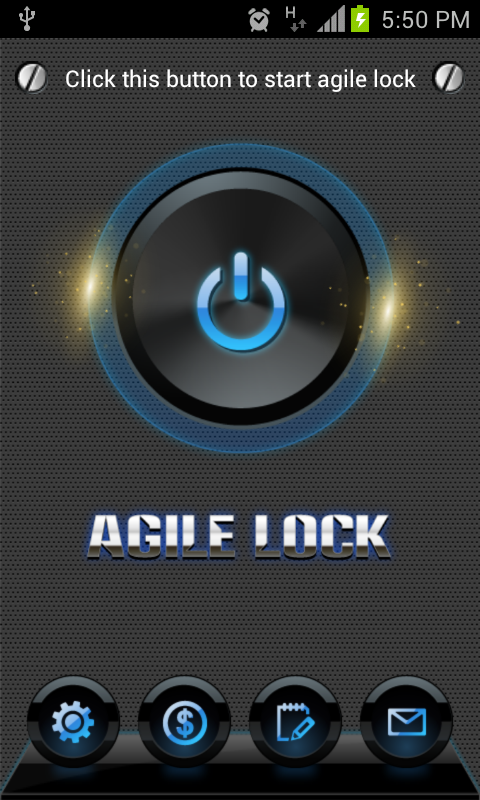
About the Agile Lock, cause copyright issue, it was removed by Google from the market, and also, that account was disabled. If you want a refund, please contact us as soon as possible.(before the end of this month)

Here are some other markets where we will release the Agile updates:

Thank you for your always support, and welcome your suggestions!

Wednesday, December 7, 2011

[DF]Zipper Lock


Still using system default lock screen? Still searching more beautiful lock screen ? [DF]Zipper lock can help you solve these troubles.


[DF]Zipper lock:
1.Cool and beautiful interface.
2.Convenient , easy  of use.
3.A lot of setting items, custom background, create personality lock screen.
4.Variety of lock screen theme, make the lock screen no longer monotonous.


The program will continue update and constantly adding more themes and more features.
ainanoha@163.com


In the free version, if you want to change the pic. you should get enough points to enable the options in the setting.
To get points, you could download, install and use the apps from the ads.

About the ads, we will change it into english versinon in maybe the next release.
And in future version, we will change the default background.
Sorry for what's bothering you.


download link:
Zipper Lock v1.0

Android market link (free version):
free version in the market

Android market link (paid version):
paid version in the market

Monday, November 28, 2011

Utility application list


1.It can list all the apps in the system.
2.It can filter the app you want to use instantly.
3.It can uninstall useless system app (need root permission). The system apps uninstalled will be backed up in SD card, and you could recover them anytime you want.
4.Just click the app to uninstall it, and long press the app to run it.


link to the market:

download from FileServe:


This program will continuously update and add more functions, Please suggestions to me at any time. ainanoha@163.com

Saturday, October 29, 2011

Smart Clock


A simple, bright, personalized digital clock, it can display carrier information, clock information, charge information, alarm information, and there are many personalization options: such as font color, font size, etc..
You can also enter into the alarm clock settings by clicking the widget, and you can always know the time of current alarm.


Link to SlideMe:
http://slideme.org/application/smart-clock


This program will continuously update . Please suggestions to me at any time.
contact us, if you have any problem:
ainanoha@163.com
http://solateam.blogspot.com/

Sunday, October 9, 2011

Common problems of Screen Lock

There may be some bugs in the apps, and we will try our best to fix all the bugs as soon as possible.
We try to list the common bugs we already know, and give some solutions to the problems. If the solutions listed below not working, please be patient, we will try to provide more solutions to the problems in future versions.


1. If you have a double lock screen problem, you could try different modes in the setting item "Fix double lock screen issue".


2. If you have a problem of  the power button, you could use the setting item "Fix power button issue".


3. If you have home button issue, you could select mode two in the setting item "Fix double lock screen issue", or select "use system security lock" setting item, and use system security lock.


4. If you want to use volume button to wake up the screen, you could select mode one in the setting item "Fix double lock screen issue". If you don't want to use volume button to use volume button to wake up the screen, you could select mode two or three.


5. .ttf type of font now supported.


6. As the description of the "answer call", pressing the icon just directs you to the default one for answering a call. Considering the security of the app, we do so, to avoid apply for the access to answer calls.

Lock Helper

Do you want to lock your screen by just one touch on the screen? Still worring about power button doesn't work some day? If so,please choose the application designed for you only. Just a little gentle click, you can lock your screen easily and happily.