TOP POSTS

Showing posts with label Agile Lock. Show all posts

Monday, November 26, 2012

Magic Particle v1.0

Combines art, music ,illusion in one, bring you a new gaming experience.
Magic Particle combines art, science ,music ,illusion and universe in one, bring you a new gaming experience. There are thousands of particles with the movement of your finger. Particles will display multi-pattern depending on the number of fingers touching the screen.
Also, there are many hide animation pattern, such as "Shooting star","Black hole", etc. These hide pattern can not display by simple moving finger position or number of touch screen, but need to use different number of touch combination. More hidden pattern waiting for you to discover.
Features:
1. Multi-touch(Max to 5 touch)
2. Five different pattern depending on the number of fingers touching the screen.
3. With the composition of the different number of fingers,you can find many more hide animation pattern.
4. Many custom setting item. You can set particles count, size, color , etc.
5. Amazing background music, feel like being in a dream wold.


Magic Particle in Google Play

Tuesday, September 18, 2012

Agile Lock v2.6 is available in Google Play

Agile Lock v2.6.

What's new in this version:


1. Add 12 circle, and 6 base pics, users could combine them to have your own theme
2. Fix double lock issue for some phones
3. Fix the issue when app been killed by some process management application
4. Remove the "Fix double lock issue" and "Use system security lock" options
5. Improve the accuracy of the weather widget
6. Add option to let users choose Fahrenheit temperature in the weather widget


You could find it in the following link:

Free version

Full version


If you have problem with using it, or you have any suggestion, please feel free to contact us.
You could give us feedback, with the feedback option in Agile Lock.

Hope you could enjoy it.
:)

Monday, September 3, 2012

Zipper Lock v1.5 available in Google Play

Today, Zipper Lock v1.5 is available in Google Play.

with the change as follows:


1. Add 12 more unlock animations
2. Optimize performance
3. Fix two problems which may cause FC
4. Redesign the main interface of the Zipper Lock


You could find it in Google Play with following links:

Free version

Full version


Description of Zipper Lock:


Zipper Lock, customize your lock screen, make your lock screen more attractive!
Zipper Lock is a lock screen replacement, Zipper like, that gives you more

experience in using the COOL lock.

Features:
- Zipper style slider look
- Customize which shortcuts/widgets are allowed on the lock screen
- Customize Font Style, Font Size .ttf type supported
- Customize Background (Full version)
- Wake up the screen with different ways, like volume button or power button
- System security lock supported
- More in settings to let you decide which will be shown in the lock screen
- Various of Themes built-in, to make your lock screen more selectable

How to Run:
- Open the Zipper Lock, click on the flashing power button in the middle of the

screen. When there is a yellow circle around the power button, the Zipper Lock

starts to run on your phone

Tips:
- If it is the first time you use the Zipper Lock, it may be a little laggy, but

the next time, it will be smooth
- If you have a double lock screen problem, you could try different modes in the

setting item "Fix double lock issue"
- If you have a problem of  the power button, you could use the setting item "Fix

power button issue"
- If you have home button issue, you could try "Block HOME key wizard"
- If the default shortcuts on the lock screen not working, try to replace them

with the apps on your phone
- If you want to disable the status bar, please select the option "Disable status

bar expand" in the setting

This program will update continuously, and add more themes and functions.

Please give us feedback or suggestions, and we will reply to you as soon as

possible, and make Agiel Lock better and better.

You could email us: ainanoha@163.com
Or visit our blog and comment us: http://solateam.blogspot.com/
Or follow our Twitter; @DFStudio_App

Monday, August 27, 2012

Puzzle Lock v1.5 Update

Puzzle Lock V1.5 update today in Google Play.

You could find it in the following links:
Free version
Full version

What's new in this version:

1. Add 12 more unlock animations
2. Optimize performance
3. Fix two problems which may cause FC
4. Redesign the main interface of the Puzzle Lock


Puzzle Lock, customize your lock screen, make your lock screen more attractive!
Puzzle Lock is a lock screen replacement, Samsung style like, that gives you more experience in using the COOL lock.

Features:
- Puzzle style slider look
- Drag the unlock pieces to the destination, to unlock, to give a call, or to the SMS
- Wake up the screen with different ways, like volume button or power button
- Customize Background, live wallpaper supported(Full version)
- More in settings to let you decide which will be shown in the lock screen

How to Run:
- Open the PuzzleLock, click on the flashing power button in the middle of the screen. When there is a yellow circle around the power button, the Puzzle Lock starts to 

run on your phone

Tips:
- If it is the first time you use the Puzzle Lock, it may be a little laggy, but the next time, it will be smooth
- If you have a double lock screen problem, you could try different modes in the setting item "Fix double lock issue"
- If you have a problem of  the power button, you could use the setting item "Fix power button issue"
- If you have home button issue, you could try "Block HOME key wizard"
- If the default shortcuts on the lock screen not working, try to replace them with the apps on your phone
- If you want to disable the status bar, please select the option "Disable status bar expand" in the setting

This program will update continuously, and add more themes and functions.

Please give us feedback or suggestions, and we will reply to you as soon as possible, and make Agiel Lock better and better.

You could email us: ainanoha@163.com
Or visit our blog and comment us: http://solateam.blogspot.com/
Or follow our Twitter; @DFStudio_App

Thursday, August 23, 2012

Ripple Lock v3.5 update!

Today, Ripple Lock is updated in Google Play, V3.5 is available.

What's new in this version:

1. Redesign the main interface of the Ripple Lock
2. Add 12 more unlock animations
3. Optimize performance
4. Fix 2 bugs which may cause Force Close

You could find it through the following links:
Free version
Full version


Ripple Lock, customize your lock screen, make your lock screenn more attractive!
Ripple Lock is a lock screen replacement, Android 3.0 like, that gives you more experience in using the COOL lock.

Feature:
- Android 3.0 style slider lock
- Customize which shortcuts/widgets are allowed on the lock screen
- Customize Font Style, Font Size .ttf type supported
- Customize Background, live wallpaper supported
- Wake up the screen with different ways, like volume button or power button
- System security lock supported
- More in settings to let you decide which will be shown in the lock screen

How to Run:
- Open the AgileLock, click on the flashing power button in the middle of the screen. When there is a yellow circle around the power button, the Agile Lock starts to run on your phone

Tips:
- If it is the first time you use the Ripple Lock, it may be a little laggy, but the next time, it will be smooth
- If you have a double lock screen problem, you could try different modes in the setting item "Fix double lock issue"
- If you have a problem of  the power button, you could use the setting item "Fix power button issue"
- If you have home button issue, you could try "Block HOME key wizard"
- If the default shortcuts on the lock screen not working, try to replace them with the apps on your phone

In the new free version, we remove the ads from the app, please use it without worrying about the ads bothering you.

This program will update continuously, and add more themes and functions.


Please give us feedback or suggestions, and we will reply to you as soon as possible, and make Agiel Lock better and better.

You could email us: ainanoha@163.com
Or visit our blog and comment us: http://solateam.blogspot.com/
Or follow our Twitter; @DFStudio_App


Sunday, August 19, 2012

Agile Lock is BACK to Google Play!

Today, Agile Lock is back to the android market!

You could find it in the following links:
Free version
Full version


Agile Lock, customize your lock screen, make your lock screen more attractive!
Agile Lock is a lock screen replacement, Sense 3.0 like, that gives you more experience in using the COOL lock.

Features:
- Sense 3.0 style slider look
- Various of Themes built-in, to make your lock screen more selectable
- Customize which shortcuts/widgets are allowed on the lock screen
- Built-in Weather widget
- Customize Font Style, Font Size .ttf type supported
- Customize Background, live wallpaper supported
- Wake up the screen with different ways, like volume button or power button
- System security lock supported
- More in settings to let you decide which will be shown in the lock screen

How to Run:
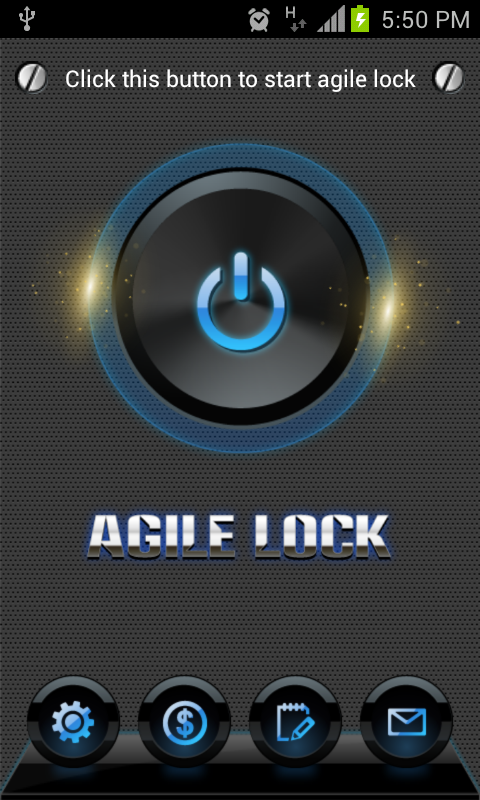
- Open the AgileLock, click on the flashing power button in the middle of the screen. When there is a yellow circle around the power button, the Agile Lock starts to run on your phone

Tips:
- If it is the first time you use the Agile Lock, it may be a little laggy, but the next time, it will be smooth
- If you have a double lock screen problem, you could try different modes in the setting item "Fix double lock issue"
- If you have a problem of  the power button, you could use the setting item "Fix power button issue"
- If you have home button issue, you could try "Block HOME key wizard"
- If the default shortcuts on the lock screen not working, try to replace them with the apps on your phone


To those who purchased Agile Lock in Google Play before, we will add SHOP system in future version of Agile Lock. And you could download plenty of themes in the SHOP for free.

This program will update continuously, and add more themes and functions.


Please give us feedback or suggestions, and we will reply to you as soon as possible, and make Agiel Lock better and better.

You could email us: ainanoha@163.com
Or visit our blog and comment us: http://solateam.blogspot.com/

Monday, March 12, 2012

[DF]Puzzles Lock Screen


Imitate Samsung's puzzle lock screen, even if your phone is not a Samsung phone, but also experience this beautiful lock screen. Based on the original, added a lots of setting items, custom background, to ensure meet your needs. 
Drag the unlock puzzle pieces to destination, you can unlock.


Download link:

Free version in Google Play

Paid version in Google Play

The program will continue update and constantly adding more themes and more features.


In the free version, if you want to change the pic. you should get enough points to enable the options in the setting.
To get points, you could download, install and use the apps from the ads.

Also, now, you could get the full version through the paypal link in the setting.


Please contact us anytime if you have any question or suggestion.
ainanoha@163.com
http://solateam.blogspot.com/
twitter: @DFStudio_App
sina:@DF_Studio

Monday, February 20, 2012

Twitter @DFStudio_App

Hi, dear friends,

Long time no see.

We have twitter @DFStudio_App now, where we will have news for apps updates, and hope you could follow us.

We will frequently update the apps both in this blog and twitter.

About the Agile Lock, cause copyright issue, it was removed by Google from the market, and also, that account was disabled. If you want a refund, please contact us as soon as possible.(before the end of this month)

Here are some other markets where we will release the Agile updates:

Thank you for your always support, and welcome your suggestions!

Wednesday, December 7, 2011

[DF]Zipper Lock


Still using system default lock screen? Still searching more beautiful lock screen ? [DF]Zipper lock can help you solve these troubles.


[DF]Zipper lock:
1.Cool and beautiful interface.
2.Convenient , easy  of use.
3.A lot of setting items, custom background, create personality lock screen.
4.Variety of lock screen theme, make the lock screen no longer monotonous.


The program will continue update and constantly adding more themes and more features.
ainanoha@163.com


In the free version, if you want to change the pic. you should get enough points to enable the options in the setting.
To get points, you could download, install and use the apps from the ads.

About the ads, we will change it into english versinon in maybe the next release.
And in future version, we will change the default background.
Sorry for what's bothering you.


download link:
Zipper Lock v1.0

Android market link (free version):
free version in the market

Android market link (paid version):
paid version in the market

Saturday, October 29, 2011

Smart Clock


A simple, bright, personalized digital clock, it can display carrier information, clock information, charge information, alarm information, and there are many personalization options: such as font color, font size, etc..
You can also enter into the alarm clock settings by clicking the widget, and you can always know the time of current alarm.


Link to SlideMe:
http://slideme.org/application/smart-clock


This program will continuously update . Please suggestions to me at any time.
contact us, if you have any problem:
ainanoha@163.com
http://solateam.blogspot.com/

Sunday, October 9, 2011

Common problems of Screen Lock

There may be some bugs in the apps, and we will try our best to fix all the bugs as soon as possible.
We try to list the common bugs we already know, and give some solutions to the problems. If the solutions listed below not working, please be patient, we will try to provide more solutions to the problems in future versions.


1. If you have a double lock screen problem, you could try different modes in the setting item "Fix double lock screen issue".


2. If you have a problem of  the power button, you could use the setting item "Fix power button issue".


3. If you have home button issue, you could select mode two in the setting item "Fix double lock screen issue", or select "use system security lock" setting item, and use system security lock.


4. If you want to use volume button to wake up the screen, you could select mode one in the setting item "Fix double lock screen issue". If you don't want to use volume button to use volume button to wake up the screen, you could select mode two or three.


5. .ttf type of font now supported.


6. As the description of the "answer call", pressing the icon just directs you to the default one for answering a call. Considering the security of the app, we do so, to avoid apply for the access to answer calls.

Saturday, July 30, 2011

Agile Lock

Are you still envy of the brilliant lock screen of Sense 3.0? Now, as long as your phone is Android system, you will be able to experience the beauty of the lock screen. Only
use one button, you can choose to use this agile lock screen or system default screen.Drag the bottom circle to the top can unlock screen.
This program has a lot of setting options: font, font color, font size, background settings, shortcuts settings, etc., must be well meet your needs.


If you have the "black background" problem, please set the "background alpha" to value 255, then the problem may be solved.
This program will continuously update . Please suggestions to me at any time.
contact us, if you have any problem:
ainanoha@163.com
http://solateam.blogspot.com/


Sorry for all the friends who like Agile, cause some copyright problem, this app was removed by Google, and that account is unavailable now.
What we can do is to release it in some other markets.
If you have some good market, or where you go frequently, please let us know.


the free version of Agile Lock: 


the paid version of Agile Lock:


Sunday, June 26, 2011

AllAppView

With so many apps installed in your android, are you troubled in finding a app, or tired of the tedious procedures to uninstal?
Ever expect an app to classify the apps, just one button pushed, one app uninstalled.
If so, AllAppView is the app, which you always looking forward to.
With AllAppView, you could self-define classifications, move the needed apps into the corresponding categories, which making it easier for you to find the app you want.
Long press some app, there will be a menu pop up, saying "move app to defined category","uninstall app","delete app from this category".
You could classify and uninstall apps with AllAppView in a faster way.


This app will update regularly, hope you could send me feedbacks or suggestions.
ainanoha@163.com
http://solateam.blogspot.com/

free version link:
AllAppView_freeversion